
Boshi 3535BB LED Light Base with Remote User Manual
- June 6, 2024
- Boshi
Table of Contents
Boshi 3535BB LED Light Base with Remote
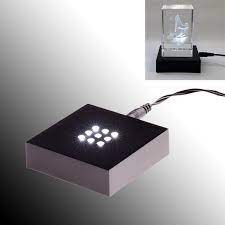
PRODUCT OVERVIEW
The LED light base with remote controller:
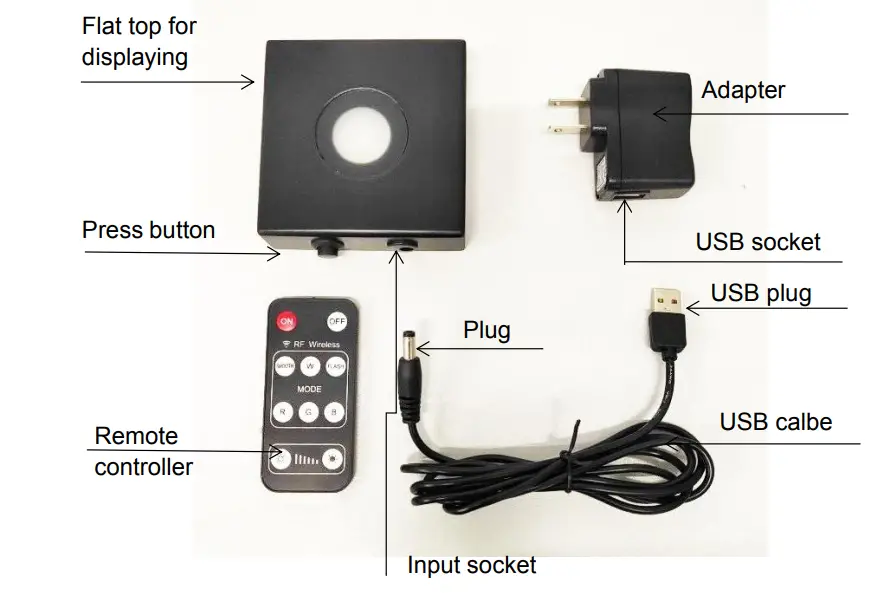
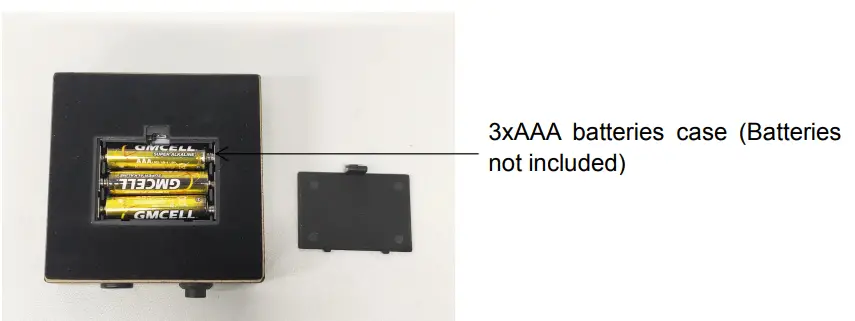 Press button Function
When power on ( Batteries powered, USB cable connected to DC 4.5V Power, or
adapter powered), the white light is on. When press the button, the light
color is changed
accordingly:

A. Four colors, keep same lighting;
B. Fading Mode, light color changes smoothly;
C. Flash Mode, light color changes jumping
Remote Function
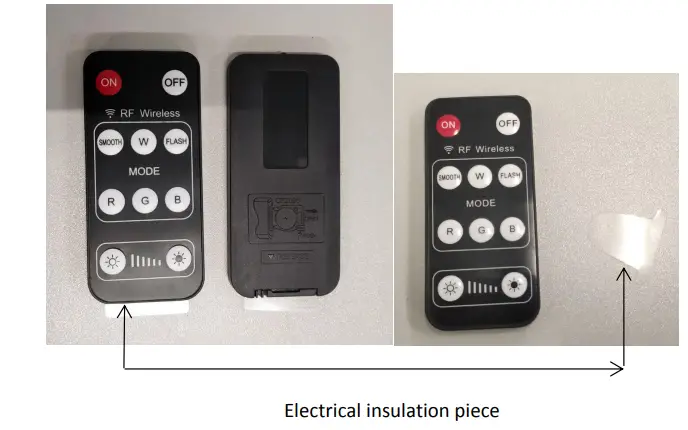
- When use the remote, please pull out the electrical insulation piece.
- When the base connect on the power, not only it is on “OFF” or “ON” condition, you can switch on or off the base with remote controller.
- The base is always white on at the beginning when power on. When any key of light selection is pressed, the light color is changed accordingly.
- Four colors, white, red, green and red responses for brightness adjustment; And the brightness always starts from 100% brightness.
- In fading and Flash mode, no responses for brightness adjustment
FCC compliance statement
This device complies with part 15 of the FCC Rules. Operation is subject to the following two conditions:
- this device may not cause harmful interference, and
- this device must accept any interference received, including interference that may cause undesired operation.
NOTE:
This equipment has been tested and found to comply with the limits for a Class
B digital device, pursuant to Part 15 of the FCC Rules. These limits are
designed to provide reasonable protection against harmful interference in a
residential installation. This equipment generates, uses and can radiate radio
frequency energy and, if not installed and used in accordance with The
instructions, may cause harmful interference to radio communications. However,
there is no guarantee that interference will not occur in a particular
installation. If this equipment does cause harmful interference to radio or
television reception, which can be determined by turning the equipment off and
on, the user is encouraged to try to correct the interference by one or more
of the following measures: Reorient or relocate the receiving antenna.
Increase the separation between the equipment and receiver. Connect the
equipment into an outlet on a circuit different from that to which the
receiver is connected. Consult the dealer or an experienced radio/TV
technician for help
Warning:
Changes or modifications to this unit not expressly approved by the party
responsible for compliance could void the uses authority to operate the
equipment. Shielded cables must be used with this unit to ensure compliance
with the Class B FCC limits.
Read User Manual Online (PDF format)
Read User Manual Online (PDF format) >>