
esxaudio VMR303 Marine Media Audio receiver Owner’s Manual
- June 5, 2024
- esxaudio
Table of Contents
 OWNER‘S MANUAL
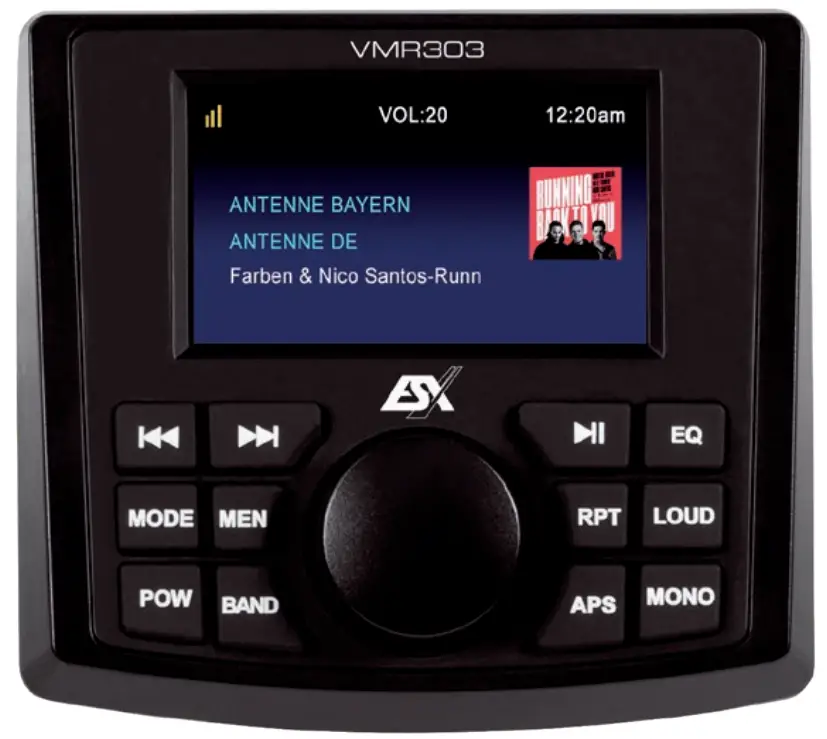 VMR303
WATER-RESISTANT MEDIA RECEIVER
SCOPE OF DELIVERY
- 1 x VMR303 Media Receiver with decorative panel
- 1 x Connection plug with open cable ends
- 1 x USB extension cable
- 4 x Fastening screw
- 1 x Owner’s manual (German / English)
FEATURES
- Waterproof 3-zone media receiver with 6.7 cm (3”) TFT display
- Integrated audio amplifier with 4 x 50 watts max. output power
- Functions: / Bluetooth® Audio Streaming / FM/DAB+ Radio / Media Player via USB storage / Camera and Video playback via RCA inputs
- Inputs: AUX L/R (RCA) / Video (RCA) / USB port / Camera (RCA) is activated by the brown camera control cable
- Outputs: Video (RCA)
- Preamplifier outputs: Front L/R (RCA) / Rear L/R (RCA) / Subwoofer (RCA)
- Optional accessories: VMR303C Remote control with media control
SPECIFICATIONS
Function| Band Information| Frequency Range| Emitted
Power| Reception
---|---|---|---|---
FM Radio| –| 87,5 – 108 MHz| –| –
DAB Radio| Band III (5A – 13F)| 174 – 240 MHz| –| 95 dBm
Bluetooth| Version 5.0| 2.400 MHz – 2.484 MHz| 0 dBm| –
INTENDED USE OF THE DEVICE
This device is suitable for operation in a watercraft with an onboard voltage of 12 volts with negative ground. It is protected against the ingress of water and dust (protection classes ASTM B117, ASTM D4329, IP66).
DISPOSAL
If you have to dispose of the device, please note that no electronic devices may be disposed of in the household waste. Dispose of the device in a suitable recycling facility in accordance with local waste regulations. If necessary, consult your local authority or your dealer.
DECLARATION OF CONFORMITY
Distribution:
Audio Design Lautsprecher Vertriebs GmbH
Am Breilingsweg 3, DE-76709 Kronau/Germany
The Audio Design Lautsprecher Vertriebs GmbH hereby declares that the
VMR303 device complies with Directive 2014/53 EU. The full text of the
EU declaration of conformity is available at the following
Internet address:
www.esxaudio.de/marine/ce
GENERAL INFORMATION
Always follow the instructions in this manual before using the device. Please keep this manual for future reference.
- All registered product names, trademarks, and brands are the property of their respective owners.
- This user’s manual was created with great care.
- Technical changes and errors reserved.
- Due to the further development of this device, it is possible that the information in this manual is incomplete or does not match the delivery status.
- In general, the assembly and installation of the device should be carried out by a trained and technically skilled specialist. If you have problems with the operation or installation of the device, contact your dealer.
SAFETY INSTRUCTIONS
This device is equipped with sensor technology and should always be handled with care. Observe the following information in order to extend the service life of the device.
- The device is another electrical consumer that must be operated with the engine running, otherwise the onboard battery will be discharged.
- Please only use the original accessories supplied. Ensure that the device is adequately fastened using the installation accessories supplied.
- Make sure all connections are properly made with the correct polarity.
- In the event of a defect or malfunction, do not attempt to repair or open the device yourself. Repairs should only be carried out by trained and authorized personnel.
- Keep the device and all accessories away from small children.
- Keep the device and its components away from excessive heat.
- Keep the device and its components away from excessive cold.
- Do not use strong chemical cleaners, solvents, or water to clean the device. Use a slightly damp cotton cloth with a soft surface.
- Replace a blown fuse only with a new one with the same values. However, before replacing a defective fuse, first, check what the cause of the short circuit is. If the fuse blows again, there is a malfunction in the device. In this case, you should contact your authorized dealer.
CONNECTION DIAGRAM
| # | Color | Function |
|---|---|---|
| 1 | Red | ACC |
| 2 | White/Black | FL |
| 3 | White | FR+ |
| 4 | Yellow | +12V |
| 5 | Grey/Black | FR- |
| 6 | Grey | FR+ |
| # | Color | Function |
| --- | --- | --- |
| 7 | Blue | Ant. +12V |
| 8 | Green/Black | RL |
| 9 | Green | RL+ |
| 10 | Black | Ground |
| 11 | Purple/Black | RR- |
| 12 | Purple | RR+ |
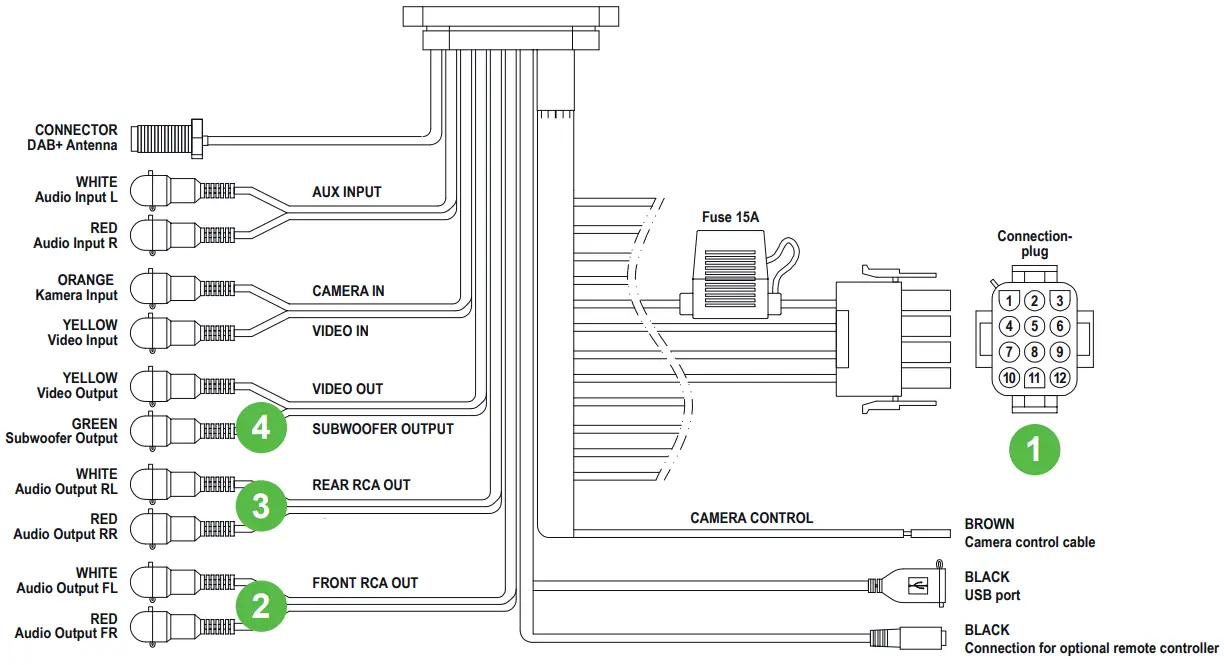
- ZONE1 are the loudspeakers controlled via the connector
- ZONE2 are the RCA preamplifier audio outputs FL/FR
- ZONE3 are the RCA preamplifier audio outputs RL/RR
- ZONE4 is the cinch preamplifier audio output SUBWOOFER OUTPUT
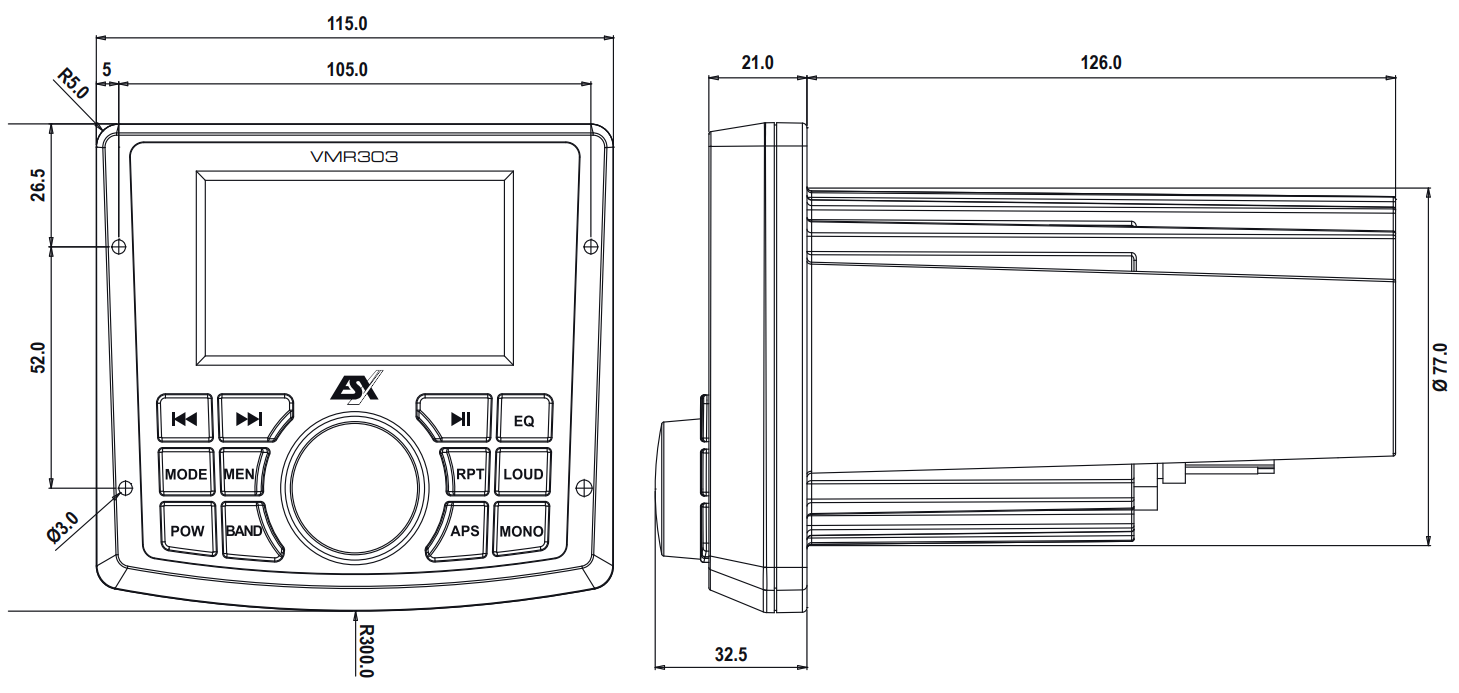
DIMENSIONS IN MM
INSTALLATION INSTRUCTIONS
Please note the following steps when installing the device:
-
Mounting location
First, find a suitable mounting location for the device. Make sure that the device has enough space for installation. The installation dimensions can be found in the “DIMENSIONS” section. In order to avoid malfunctions, never mount the device near the motor. -
Mounting opening
After finding a mounting location, you need to cut a circular hole with a diameter of 77 mm. -
Interconnection
Wire and connect the device as described under “CONNECTION DIAGRAM”. Then slide the device and the wiring through the hole. -
Functional test
Before you complete the installation, you should carry out a function test. -
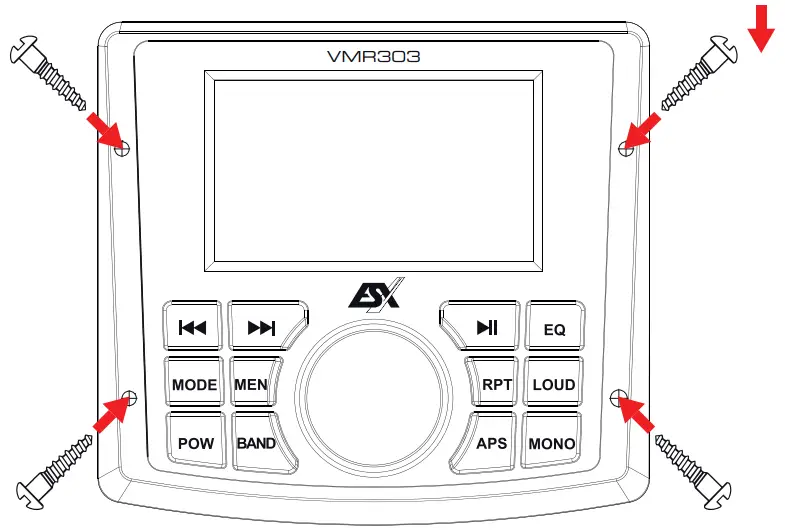
Fastening
The device must now be attached with the 4 enclosed self-tapping screws.
Carefully remove the decorative panel on the device by unclipping it in the
middle on the right and left on both sides. Then put the decorative panel
aside.
When mounting, make sure that the device lies flat on the mounting surface,
Use the 4 enclosed self-tapping screws to attach the device.
 Make sure that the screws sit well, but are not overtightened when
screwing in.
Make sure that the screws sit well, but are not overtightened when
screwing in.
Then clip the decorative panel back onto the device. First, hook them in on
one side.
CONTROLS
VMR303
Main device
| Control | Function |
|---|---|
| Volume control during media playback Selector in the menu / confirm with |
pressing Select playback mode by pressing
| Previous station / track
| Next station / track
**| Start / pause playback
MODE| Select playback mode:
DAB radio > FM radio > Bluetooth > USB > AUX IN
BAND| Frequency band selection FM1 / FM2 / FM3 in FM radio mode Open
station list in DAB radio mode
Play media from USB storage in the USB menu (press briefly) Select the media
folder on the USB storage (press longer than 2 seconds)
MEN| Main menu: Various settings can be made under
EQ| Audio settings
RPT| Repeat current title on / off
LOUD| Loudness on / off
POW| Switch on / off (press longer than 2 seconds) Mute on / off (press
briefly)
APPS| Automatic station search in radio mode
MONO**| Mono playback on / off
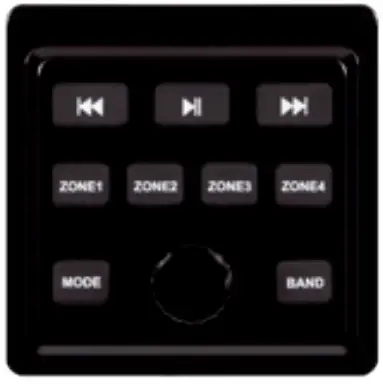 VMR303C
Optional remote controller
| Control | Function |
|---|---|
| Volume control during media playback Mute on / off (press briefly) | |
| Previous station / track | |
| Next station / track | |
| **** | Start / pause playback |
| MODE | Select playback mode: |
DAB radio > FM radio > Bluetooth > USB > AUX IN
BAND| Frequency band selection FM1 / FM2 / FM3 in FM radio mode Play
media from USB storage in the USB menu (press briefly)
Select the media folder on the USB storage (press longer than 2 seconds)
ZONE1| Select the volume of ZONE 1 with the rotary control
ZONE2| Select the volume of ZONE 3 with the rotary control
ZONE3| Select the volume of ZONE 3 with the rotary control
ZONE4| Select the volume of ZONE 4 (sub) with the rotary control
DAB+ DIGITAL RADIO 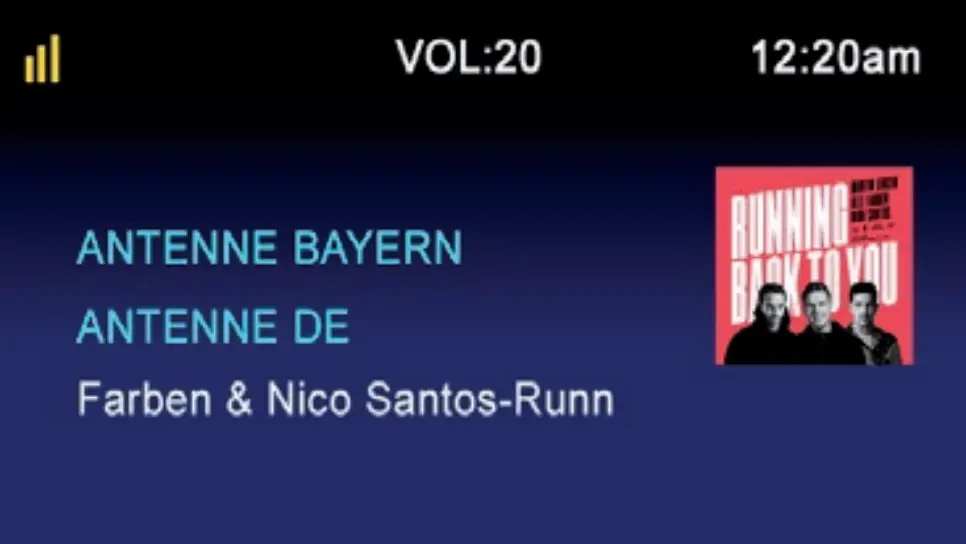
Press the APS button to start the automatic station search. All available DAB
- stations are then in the station memory.
By briefly tapping the buttons and you can select the desired station in the station memory downwards or upwards.
With BAND you can open the station list to select a station with the rotary knob (rotate and push).
FM RADIO
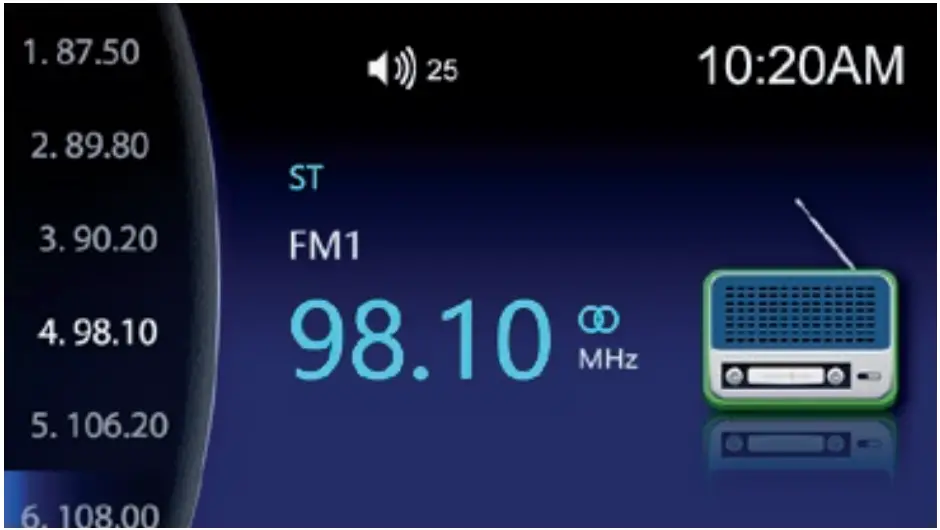 Press the APS button to start the automatic station search. All
available FM stations are then in the station memory.
Press the APS button to start the automatic station search. All
available FM stations are then in the station memory.
By briefly tapping the buttons and you can select the desired station in the
station memory downwards or upwards.
With BAND you can select the station memory locations FM1, FM2, and FM3.
BLUETOOTH®
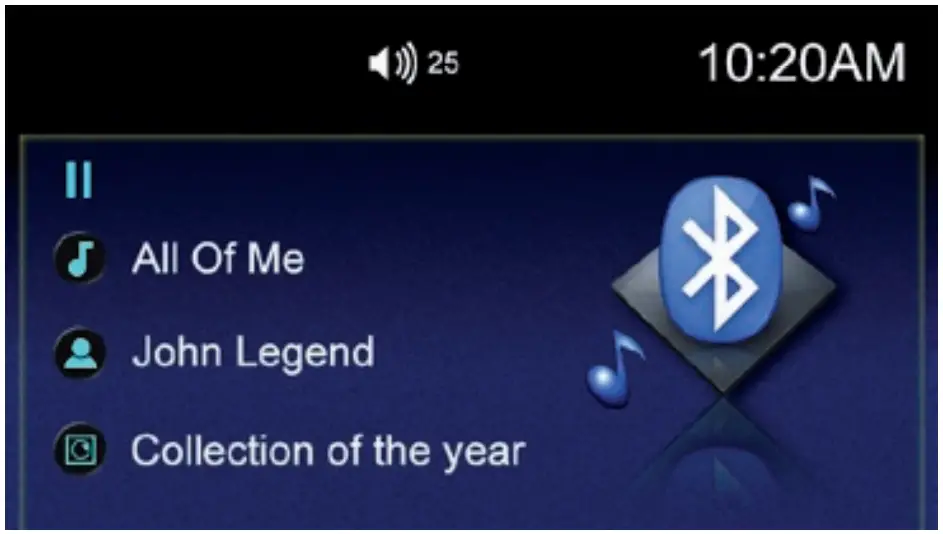
Activate the Bluetooth function on your smartphone or tablet. Then search for
„Marine Audio“ in the device selection and select it. The two devices then
connect automatically,
even after restarting the audio system.
If you want to connect another mobile device to the media receiver, you have
to disconnect the current Bluetooth connection in the smartphone or tablet.
With the control buttons ****, and you can control the media playback
accordingly.
Only the tracks or playlists that are currently selected on your mobile device
are played back.
If the control buttons do not work, you should update your mobile device.
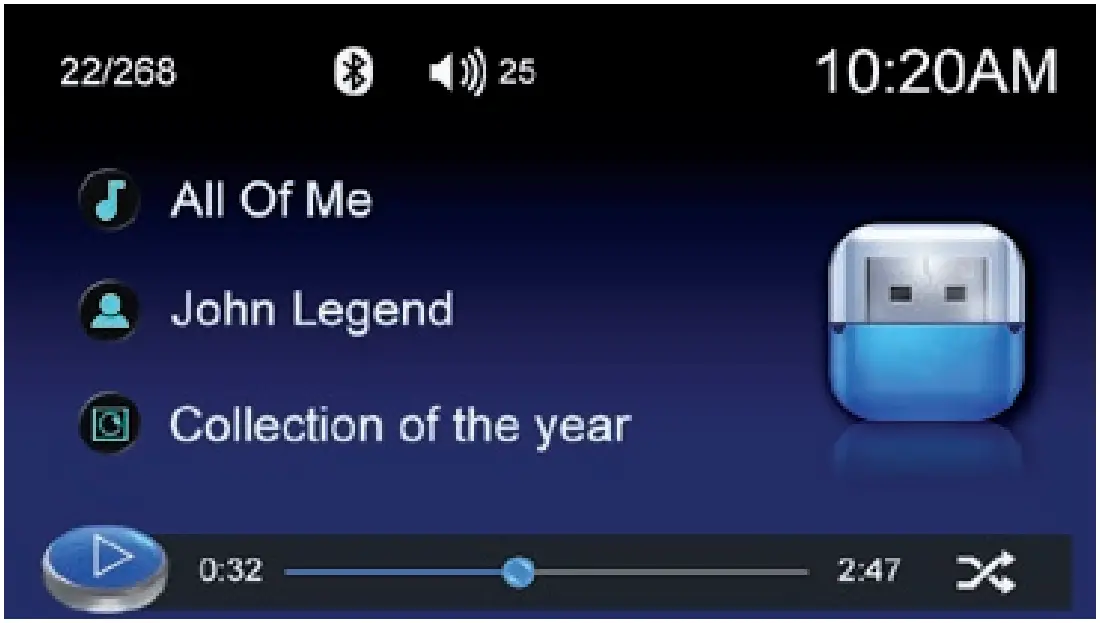 If you have connected a USB memory stick with compatible media
files to the device, these will be played in numerical or alphabetical order,
If you have connected a USB memory stick with compatible media
files to the device, these will be played in numerical or alphabetical order,
With the control buttons , and you can control the media playback accordingly.
If you press these buttons for more than 2 seconds, you start the fast run-
through.
If there are compatible video or image files on the
USB storage medium, you can start their playback with the “BAND” button.
AUX IN
If you have connected an external audio signal source to AUX INPUT,
it will be played back in this menu via the sound system.
If you have also connected an external video signal source to VIDEO I
N, the video signal is displayed here.
The control is only possible via the external media source.
EQ
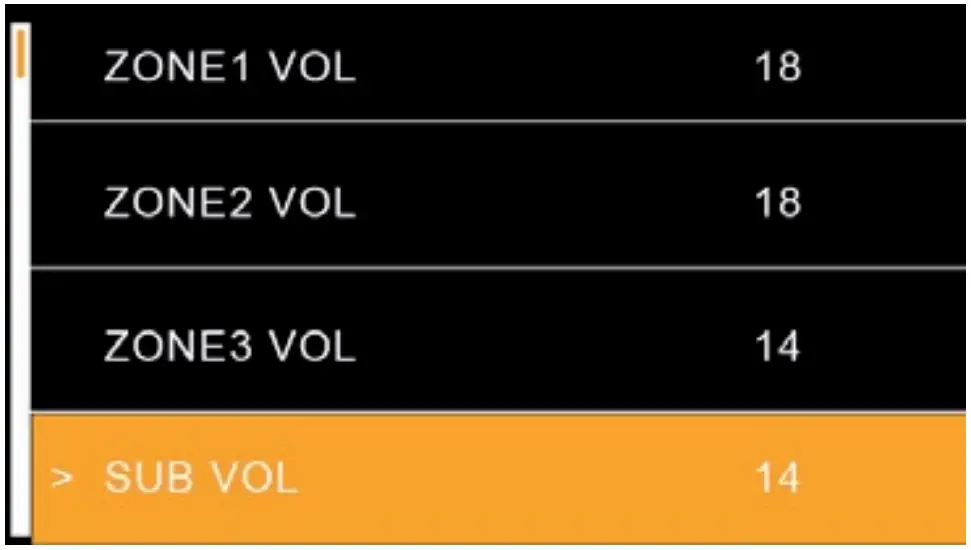
This menu contains the settings for adjusting the volume of the individual
zones and for regulating the level of the subwoofer output.
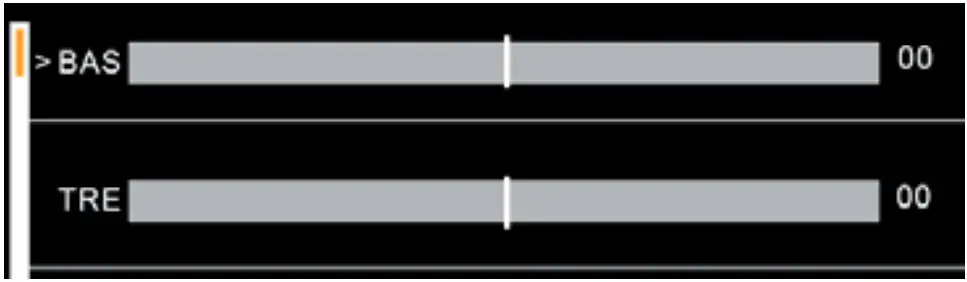
Further down in the menu you can adjust the equalizer settings for tone control and other settings accordingly.
ESX Marine Audio · Audio Design GmbH
Am Breilingsweg 3 · D-76709 Kronau/Germany
Tel. +49 7253 – 9465-0 · Fax +49 7253 – 946510
www.esxaudio.de/marine –
www.audiodesign.de
© All Rechte vorbehalten, Technische Änderungen und Fehler vorbehalten
References
Read User Manual Online (PDF format)
Read User Manual Online (PDF format) >>