
VNEIMQN B0BTNSD4KQ Kids Tablet User Guide
- May 15, 2024
- VNEIMQN
Table of Contents
VNEIMQN B0BTNSD4KQ Kids Tablet
Product Information
Specifications:
- Model: Tablet X
- Screen Size: 10 inches
- Processor: Quad-core 1.5 GHz
- Storage: 32GB
- RAM: 4GB
- Operating System: Android 10
Product Usage Instructions
1. Turning on the Tablet and Initial Setup:
- Press the power button to turn on the tablet.
- Click on “Start” to begin the setup process.
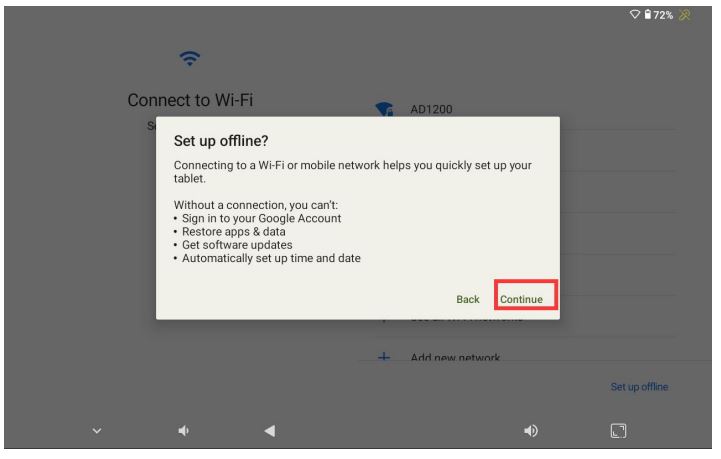
- On the next screen, locate and click on “Set up offline” at the lower right corner.
- Click “Continue” to proceed with the setup.
2. Setting Date & Time and Network Connection:
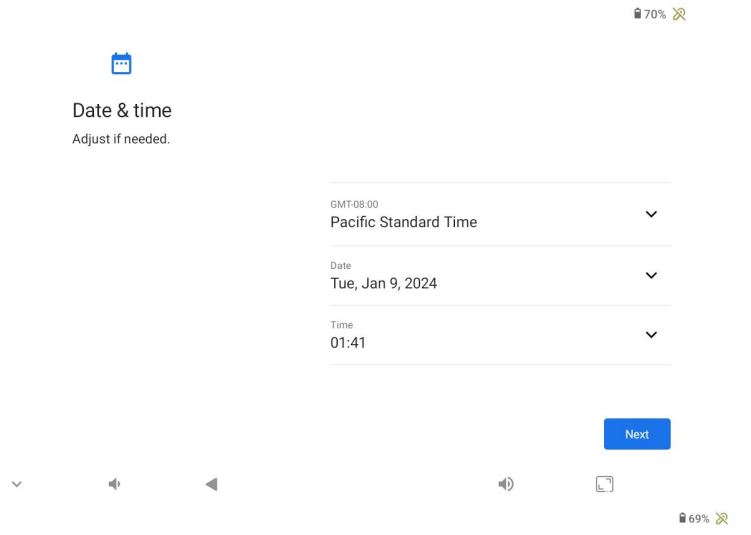
- Go to “Date & Time Setting” and follow the prompts to set the date and time.
- Next, go to “Settings” and select “Network & internet” to connect to a Wi-Fi network.
3. System Update:
- In the settings menu, navigate to “System Update” under “About tablet.”
- Click on “ALLOW” to initiate the automatic update process.
- Once the update is completed, restart the device for the changes to take effect.
4. Enjoy Your Tablet:
Your tablet is now updated and ready for use. Explore the features and apps with the latest version.
FAQs
A: To reset your tablet to factory settings, go to Settings > System > Reset options > Erase all data (factory reset).
Q: Can I expand the storage capacity of the tablet?
A: Yes, you can expand the storage capacity by inserting a microSD card into the designated slot on the tablet.
Using Instruction
- Turn on the tablet, Click” Start” to go to the start guide
- On the below screen, Click“Set up offline” at the lower right corner

- Click “Continue
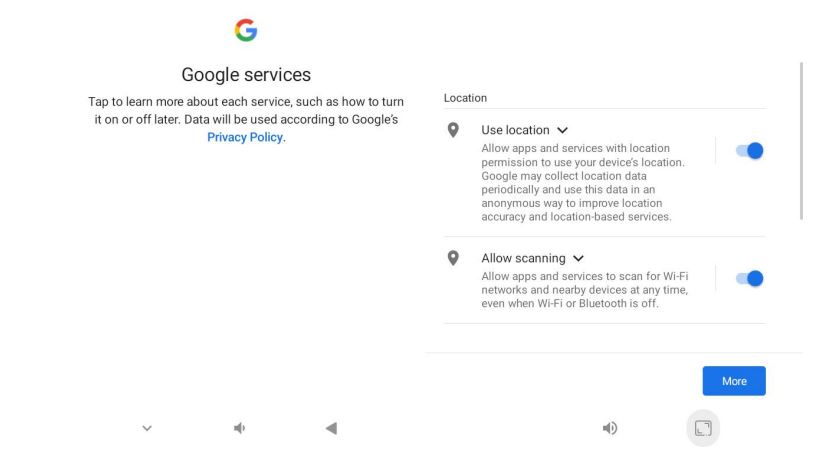
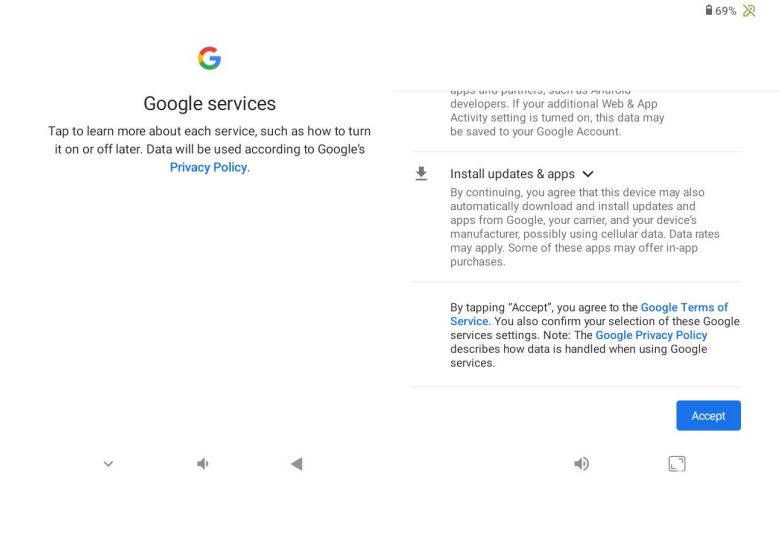
- Go to “Date & Time” Setting, click “Next > More > More > Accept
- Then go to the “Set a PIN “Screen, click ”Skip” and do not input the PIN code.

- Click “Skip anyway”
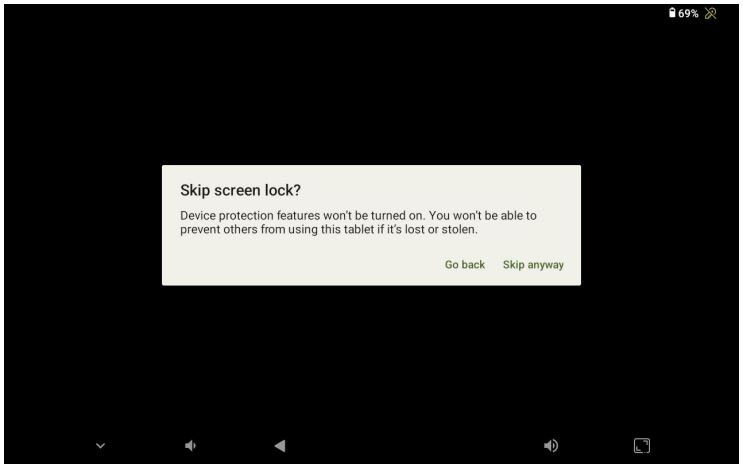
- Then you can see the home screen as below

- Go to settings, and connect wifi. Settings > Network & internet
- System Update Settings > About tablet > System Update


- Click”ALLOW” and the device will be updated automatically
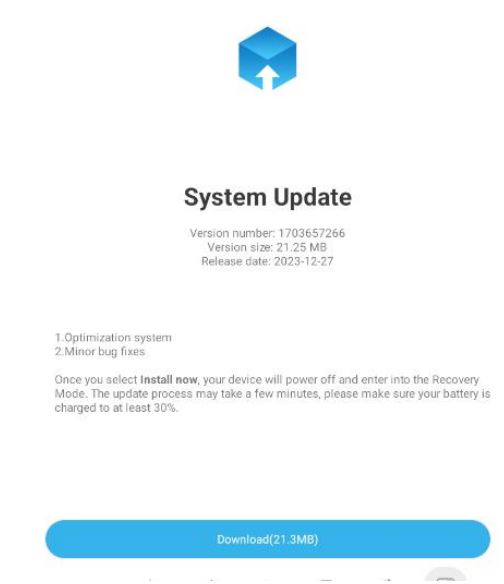
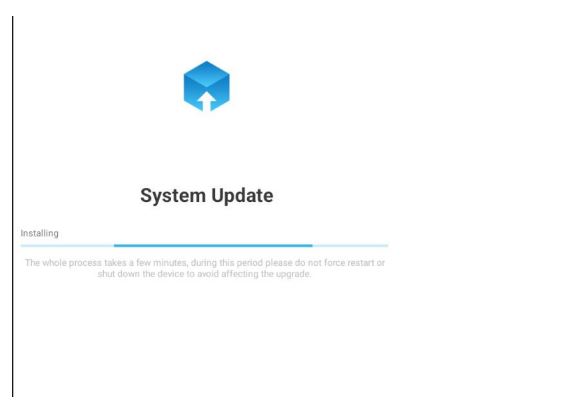
- Re-start the device when upgrade successfully

Now you can use the tablet freely with latest version
Read User Manual Online (PDF format)
Read User Manual Online (PDF format) >>