
DELTACO OFFICE ARM-0513 Floor Stand for Tablets User Manual
- June 12, 2024
- DELTACO OFFICE
Table of Contents
DELTACO OFFICE ARM-0513 Floor Stand for Tablets
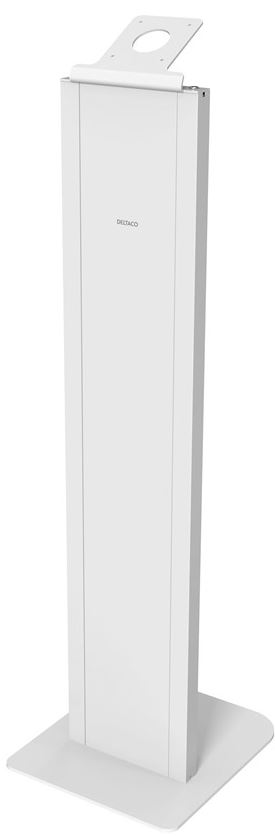
Product Information
| Model | Brand | Dimensions (mm) | Components | Screws |
|---|---|---|---|---|
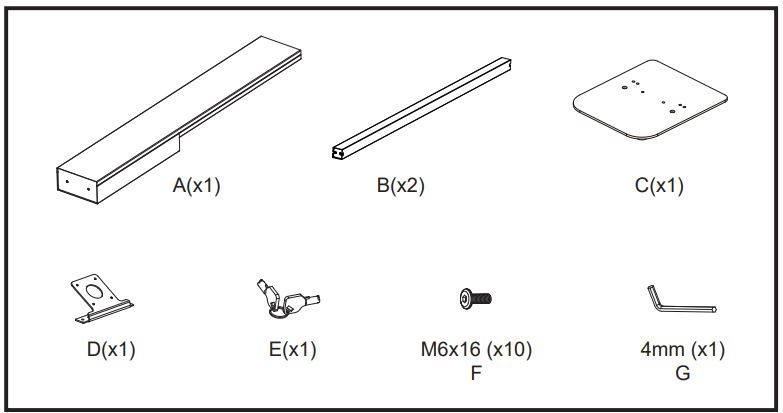
| ARM-0513 | A NORDIC BRAND | 75x106x30 | A(x1), B(x2), C(x1), D(x1), E(x1) | M6x16 |
(x10), 4mm (x1)
Product Usage Instructions
- Start by unpacking all the components and screws.
- Identify the parts A, B, C, D, and E as indicated in the user manual.
- Using the provided M6x16 screws, attach component A to the designated area using the pre-drilled holes.
Attach components B and D to the designated areas using the provided M6x16 screws. Attach component C to the designated area using the provided M6x16 screws.
- Secure component E to the designated area using the provided 4mm screw.
- Once all components are securely attached, ensure that they are aligned properly.
- Verify that the dimensions of the assembled product match the specified dimensions.
Dimensions

Parts
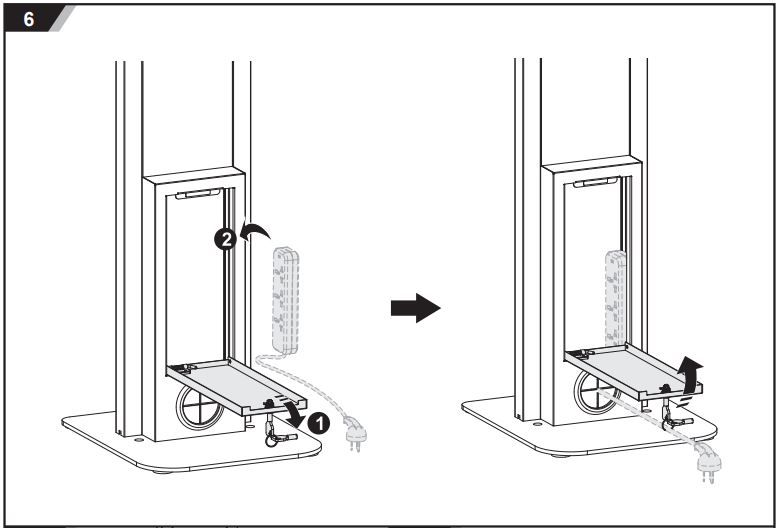
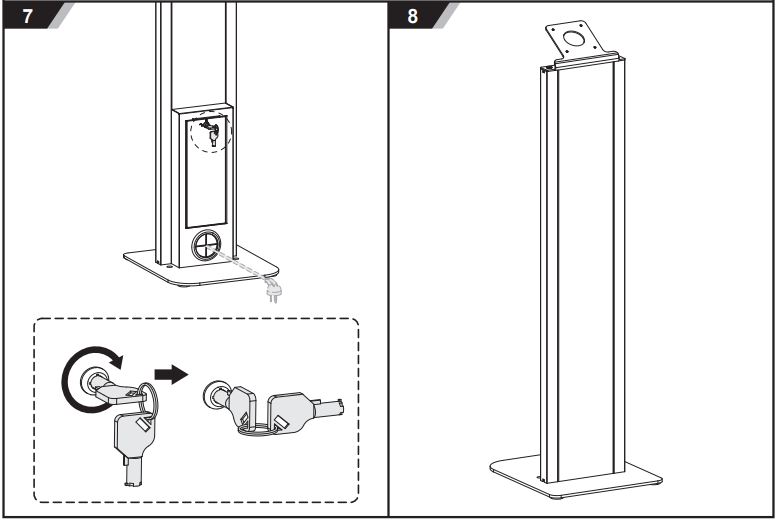
Installation Instructions


DistIT Services AB
- Glasfibergatan 8, 125 45 Älvsjö, Sweden
Read User Manual Online (PDF format)
Read User Manual Online (PDF format) >>