
ThermoBid TSG205 Series Countertop Refrigerator Instruction Manual
- June 1, 2024
- ThermoBid
Table of Contents
ThermoBid TSG205 Series Countertop Refrigerator
Product Information
Specifications:
- Product Name: Temperature Control System
- Model Number: XYZ-123
- Power Supply: 120V AC
- Temperature Range: 50°F – 90°F
- Display: LCD Screen
Product Usage Instructions
Adjusting the Temperature Set Point:
To adjust the temperature set point on the Temperature Control System, follow these steps:
- Locate the temperature adjustment buttons on the control panel.
- Press the up or down button to increase or decrease the temperature set point.
- Monitor the LCD screen to see the current temperature setting.
- Once the desired temperature is displayed, release the button to set the new temperature.
Frequently Asked Questions (FAQ):
-
Q: How do I reset the temperature control system to factory settings?
A: To reset the temperature control system to factory settings, locate the reset button on the device and press and hold it for 10 seconds until the display shows “RST”. Release the button, and the system will reset to its default settings. -
Q: Can I switch between Fahrenheit and Celsius on the display?
A: Yes, you can switch between Fahrenheit and Celsius on the display. Refer to the user manual for specific instructions on changing the temperature display unit.
Question/Issue/Symptom/Problem:
Below are instructions on adjusting the temperature set point.
Resolution/ Answer:
Follow the steps below:
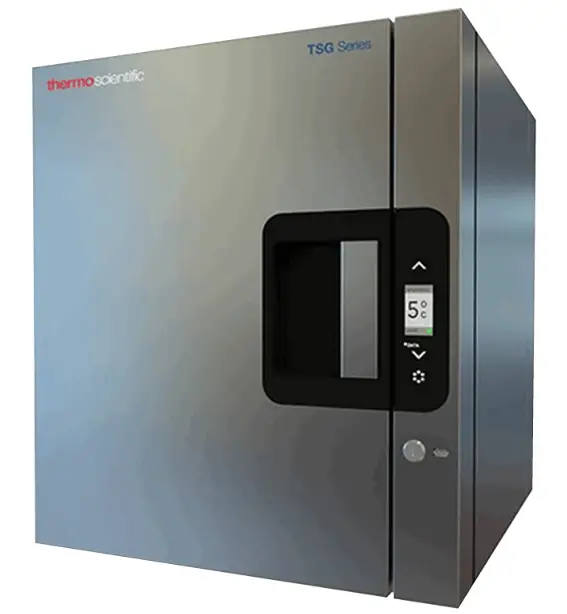
- Locate the control panel on the right front side of the unit as seen below.
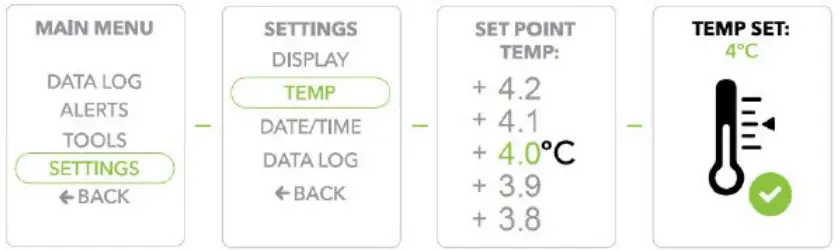
- Press the Select/Control button to display the Main Menu.
- Use the Scroll buttons to move to the Settings option, and press the Select/Control button to confirm/select Settings.
- Scroll to the Temp option, and press the Select/Control button to confirm/select Temp.
- Scroll to select the Set Point Temp and press the Select/Control button to confirm.
- Temp Set will display to confirm your selected Set Point Temperature
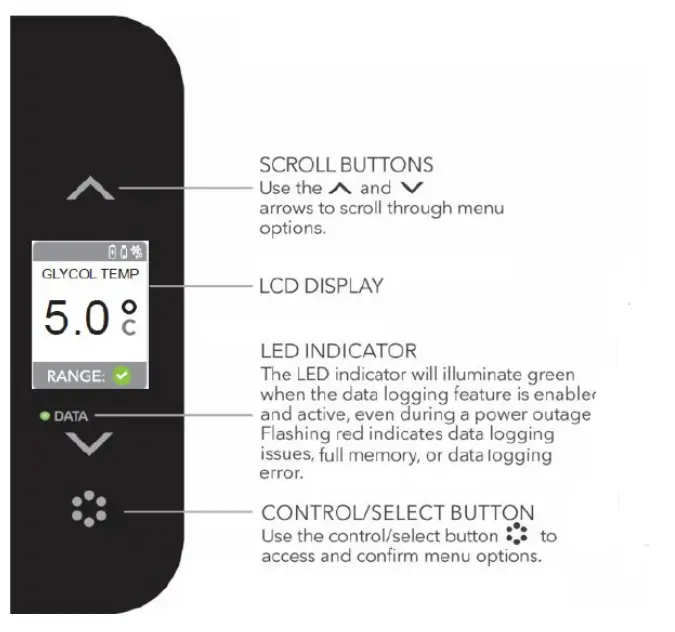
Control Panel
The control panel features an LCD, an LED indicator, and 3 interactive buttons
.
Title:
Instructions – TSG205 Series – How to Adjust Temperature Set Point
Audience:
Public
Author:
Steven Thomas
Read User Manual Online (PDF format)
Read User Manual Online (PDF format) >>