
Jazwares BLP0139 RC Racecar Instruction Manual
- June 6, 2024
- Jazwares
Table of Contents
Jazwares BLP0139 RC Racecar Instruction Manual
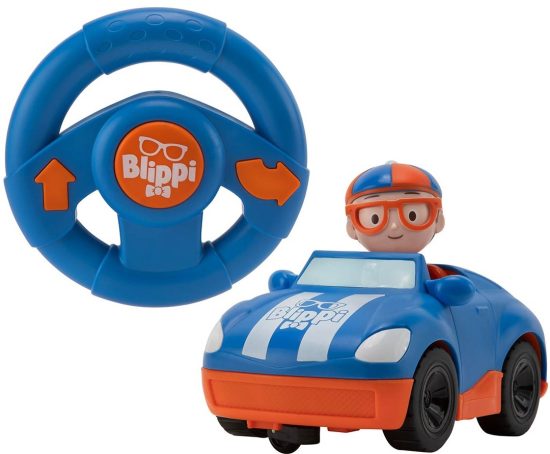
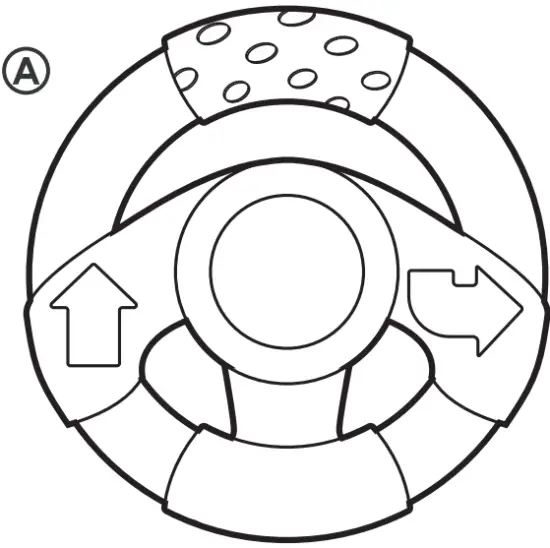
INCLUDES
A Remote Control Handset
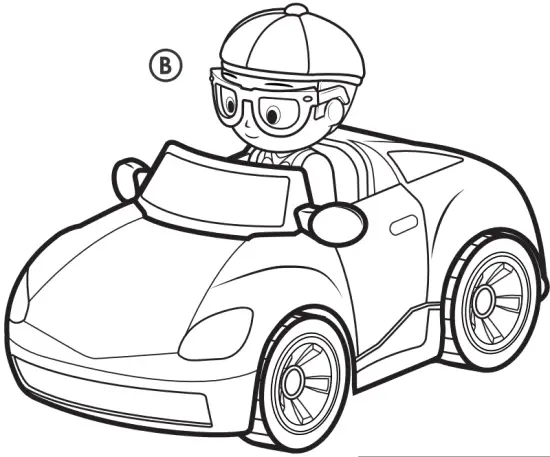
B RC Racecar
Caution
NEVER sit or stand on any parts of the RC Racecar or accessories. NEVER
drop or throw the RC Racecar or accessories.
NEVER expose the RC Racecar to moisture of any kind.
INSTRUCTIONS
-
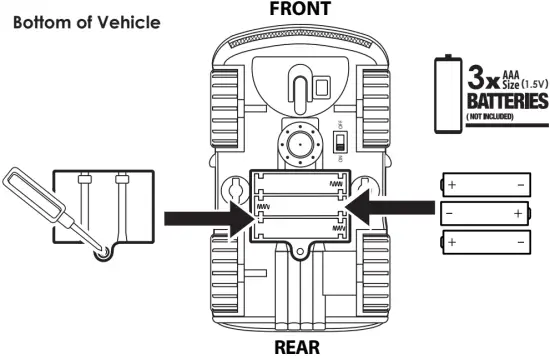
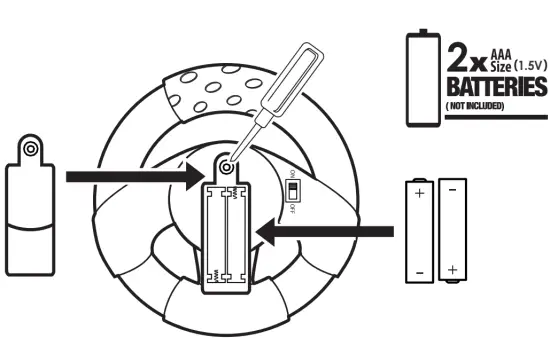
How to Replace Batteries (Batteries Not Included) ADULT INSTALLATION REQUIRED.
-
Ensure both RC Racecar and Remote Control Handset unit is in the “OFF” position.
-
Use a Phillips Head screwdriver (not included) to loosen screws in battery compartment cover (screw remains attached to cover).
-
Remove cover and discard depleted batteries.
-
Replace with 3 x 1.5V AAA batteries (RACECAR) and 2 x 1.5V AAA batteries
(Remote Control Handset). Follow the (+) and (-) markings in the battery compartment and on the batteries to ensure proper battery placement. -
Replace cover and tighten screws.
-
Move the switch to the “ON” position to actvate the play features.
-
Move the switch to the “OFF” position when not in use to help save battery life of the toy.
HOW TO PAIR
- Turn the vehicle ON, then turn the transmitter controller ON within 30 seconds.
*Do not press any buttons or switches on the controller while pairing, this may cause interference. - The LED light on controller will start blinking.
- Once the pairing is successful, the LED light on controller will stop blinking and stay on.
- If pairing is unsuccessful, turn the vehicle and controller OFF and try again.
- If vehicle enters sleep mode, turn the vehicle and controller off, then back on and try again.
TROUBLESHOOTING
| PROBLEM | SOLUTION |
|---|---|
| Vehicle will not START |
- Power switch is off. Make sure to turn it on.
- Batteries are installed with incorrect polarities. Check the + and – markings to make sure the batteries are properly aligned.
- Batteries are drained. Charge batteries, then re-install or install new batteries.
Vehicle does not respond to controls|
- Transmitter controller battery is drained. Replace the controller battery.
- Vehicle is out of range. Bring controller closer to the vehicle.
- Interference from surrounding electrical machinery. Bring to a wide open space.
Vehicle does not move|
- Stop operation, switch off the power and rest your vehicle for a few minutes.
- Check the position of the batteries in the vehicle, they may have been knocked loose during play.
Vehicle does not respond properly
Transmitter controller does not work| The vehicle is likely out of range.
Bring controller closer to the vehicle. If problem persists, remove the
controller batteries and replace with new batteries, then restart (ON/OFF) the
vehicle. If the controller light is off, its batteries are drained. Replace
the controller batteries.
Bottom of Remote Control Handset
NOTES & TROUBLESHOOTING
- Remote Control Handset will function up to a distance of over 65 feet (20 meters) from the RC Racecar.
- Fresh batteries will allow the RC Racecar to function continuously for approximately 15 minutes.
- This product does not transmit well through obstacles such as buildings, metal structures and trees.
- Replace batteries if the RC Racecar does not operate as usual or signal range decreases noticeably.
- RC Racecar performs best on flat surfaces and will not work well on high pile carpet floors or very rough surfaces.
The most important is the vehicle* controller by sleep model (approx. 3min), need be re-press switch back on and try again.
Operation
Switch mode from “TRY ME” on your RC Racecar and Remote Control Handset unit
settings to “ON” and use the Remote Control Handset to steer your new RC
Racecar.

BATTERY WARNINGS
- Requires 3 x 1.5V AAA Batteries (RC Racecar) and 2 x 1.5V AAA Batteries (Remote Control Handset) (Batteries not included).
- Batteries are to be replaced by an adult.
- Non-rechargeable batteries are not to be recharged.
- Rechargeable batteries are to be removed from the toy before being charged.
- Rechargeable batteries are only to be charged under adult supervision.
- For best performance, only the recommended batteries or their equivalent are to be used.
- Batteries must be inserted with correct polarity.
- Do not mix new and used batteries.
- Do not mix different types of batteries
- Exhausted batteries are to be removed from the toy.
- The supply terminals are not to be short-circuited.
This device complies with Part 15 of the FCC Rules. Operation is subject to
the following two
conditions:
- This device may not cause harmful interference, and
- this device must accept any interference received, including interference that may cause undesired operation.
WARNING! Changes or modifications not expressively approved by the manufacturer responsible for compliance could void the user’s authority to operate the equipment.
NOTE: This equipment has been tested and found to comply with the limits for a Class B digital device, pursuant to Part 15 of the FCC rules.
These limits are designed to provide reasonable protection against harmful interference in a residential installation. This equipment generates, uses, and can radiate radio frequency energy and, if not installed and used in accordance with the instructions, may cause harmful interference to radio communications. However, there is no guarantee that interference will not occur in a particular installation. If this equipment does cause harmful interference to radio or television reception, which can be determined by turning the equipment off and on, the user is encouraged to try to correct the interference by one or more of the following measures:
- Reorient or relocate the receiving antenna.
- Increase the separation between the equipment and receiver.
- Connect the equipment into an outlet on a circuit different from that to which the receiver is connected.
- Consult the dealer or an experienced radio/TV technician for help.
HOW TO CLEAN THE RC RACECAR
- Clean with a damp cloth, use water only.
- Do not submerge in water.
- Do not use chemical or abrasive cleaners.
IMPORTANT:
Please save this instruction sheet.
It contains valuable product information.
PROBLEMS?
DO NOT RETUREN TO STORE
Please Call Us: 1.800.370.1827
(U.S. Customers Only)
Customer Support
Made in China. Manufactured and Distributed by:
Jazwares, LLC, Sunrise, FL 33326, USA
Jazwares, 16A Crane Grove, London, N7 8LE, United Kingdom
Jazwares GmbH, Mina-Rees-Str. 8, 64295 Darmstadt , Germany
www.jazwares.com /
www.jazwares.de
Blippi™ Copyright © 2020 Moonbug Entertainment. All Rights Reserved.
Protect the environment by not disposing of this product with household waste
(2012/19/EU).
Check your local authority for recycling advice and facilities.
References
Read User Manual Online (PDF format)
Read User Manual Online (PDF format) >>